Disclosure: Rebuildwithintention.com publishes this article and is one of the tools reviewed. We rank RebuildOS first and explain our criteria below so you can judge the list yourself. Where another tool is a better fit for your situation, we say so.
If you are looking for a free urge tracker or the best mood tracker app that actually helps you understand your patterns, you are in the right place.
Most tools only ask whether you gave in. The better ones also capture what happened right before the urge, the time of day, the emotion, the location, and the first small compromise. That context is what turns a streak counter into something you can actually use to change the loop.
This guide ranks seven urge and mood tracking tools. You will see how we judged them, what each one does well, where it falls short, and who it is really for.
You will also get a simple daily tracking method, the most common mistakes people make, and clear guidance on when a tracker is not enough on its own. By the end you should be able to choose one tool and start logging without needing to open another tab.
Quick Answer: Which Tool Should You Pick?
| If Your Primary Goal Is… | Recommended Tool |
|---|---|
| Track urges & triggers for free with no account | RebuildOS |
| Find links between mood, sleep, and daily habits | Bearable |
| Log mood in under 5 seconds with zero typing | Daylio |
| Share structured symptom reports with a doctor | eMoods |
| Keep a private mood diary stored purely on phone | Moodistory |
| Check in via conversational AI with guided exercises | Wysa |
| Build emotional vocabulary with a free nonprofit | How We Feel |
How We Ranked These Tools
We ranked every urge tracker and mood tracker on four criteria:
- Fit for urges and mood. Does the tool track both, and does it record the context around them? A tool that only asks “did you give in?” scores lower than one that also asks what happened just before.
- Cost to start. Is there a free version you can actually use without a trial clock or a paywall blocking the core features?
- Ease of daily logging. How much effort does one check-in take? A tool you abandon after three days is less useful than a simpler one you keep using.
- Data handling. What does the tool’s own website or privacy policy say about where your data is stored and who can see it?
NB: The reviews are based on each tool’s own website, app listing, and public documentation, all checked on 16 October 2026. Features and prices change, so always confirm on the product page before you decide.
1. RebuildOS (by Rebuild with Intention)
Best for: people who want a free urge tracker that records triggers, context, and response, not just whether you gave in.
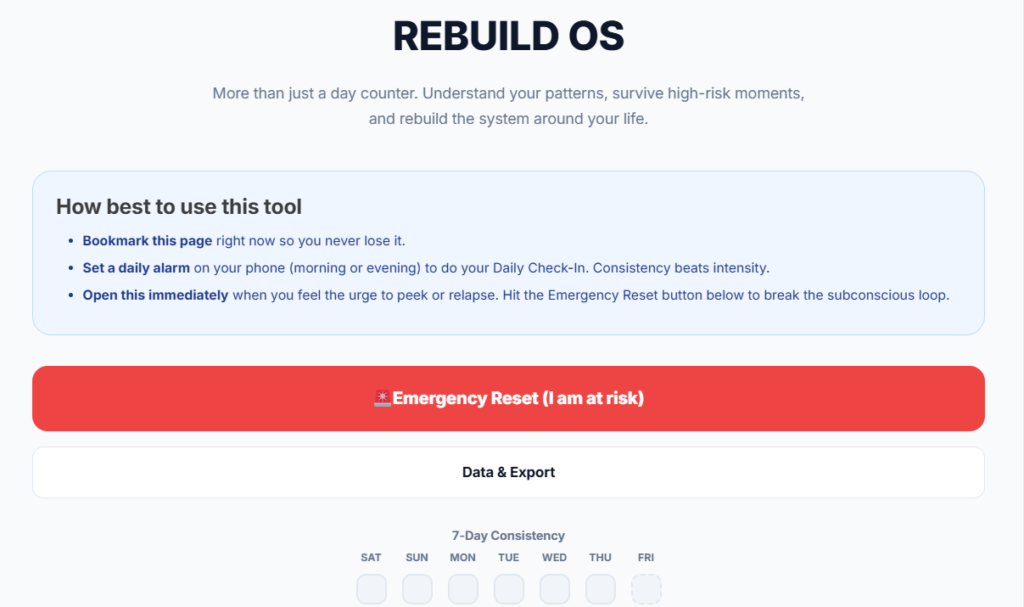
If you have tried mood trackers or habit apps and felt like they only measured failure, RebuildOS is built for a different job. It is a free, browser-based urge tracker from Rebuild with intention.
You do not need an account. You open the page and start logging. The whole design treats the log as data rather than a scoreboard, which matters if you have ever written “relapsed” and then felt worse for writing it.
RebuildOS is aimed at people who are dealing with digital dependency, late-night scrolling loops, or any repeated urge that keeps showing up in the same situations.
Instead of only counting clean days, it asks you to notice the conditions that make the urge stronger. That is the difference between knowing you struggled and knowing you struggled at 11:40 p.m. after an argument while the phone was still in your hand.
Features of RebuildOS
1. Daily Rebuild Check-In:
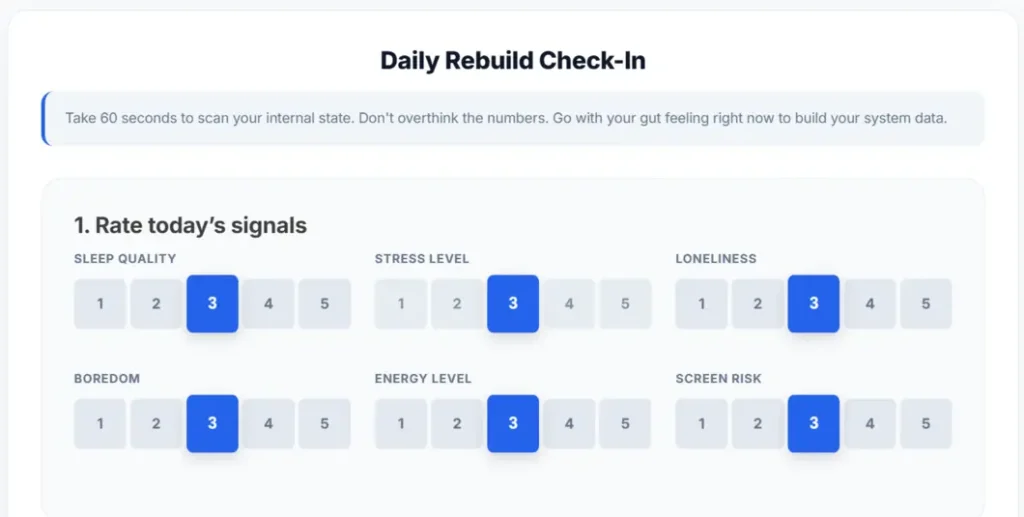
Each day you rate sleep quality, stress, loneliness, boredom, energy, and screen risk. You then set your highest-risk window for that day, one boundary you will protect, and one minimum viable action. The check-in takes about a minute and gives you a concrete plan before the hard part of the day arrives.
2. Urge Log:
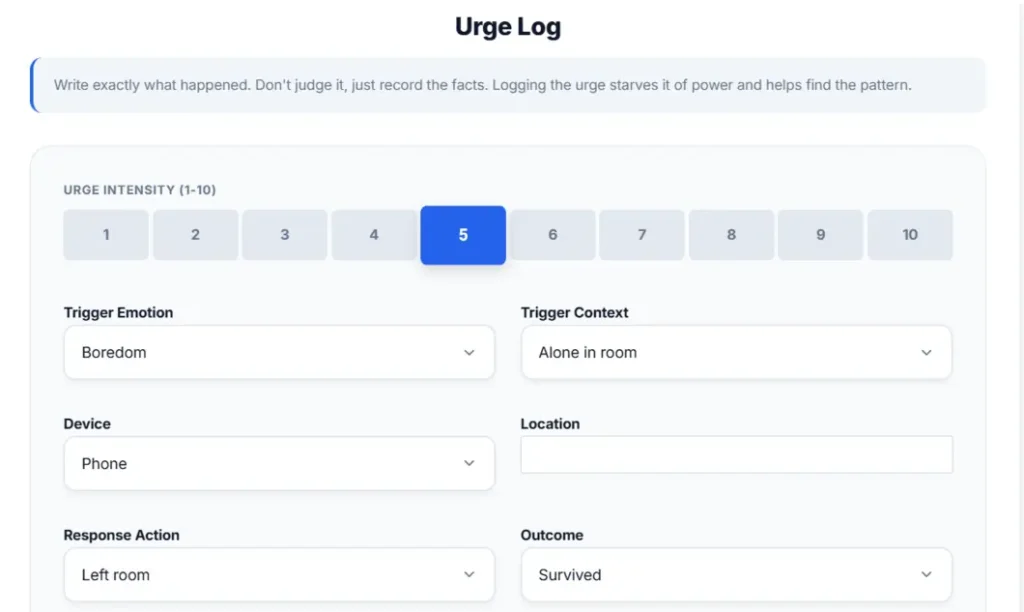
When an urge appears you record intensity (0–10), the trigger emotion, the context (late at night, after scrolling, after a difficult conversation), the device, the location, what you did in response, and the outcome.
These are “data, not a shame.” Many people stop logging because the act of writing feels like another failure.
3. Emergency Reset:
A short guided flow for high-risk moments. You step away from the device, name the urge, rate its intensity, identify the specific lie the urge is telling you, choose one replacement action, and start a 12-minute timer. It is designed for the exact window when willpower is lowest and a longer exercise would feel impossible.
4. Relapse Autopsy:
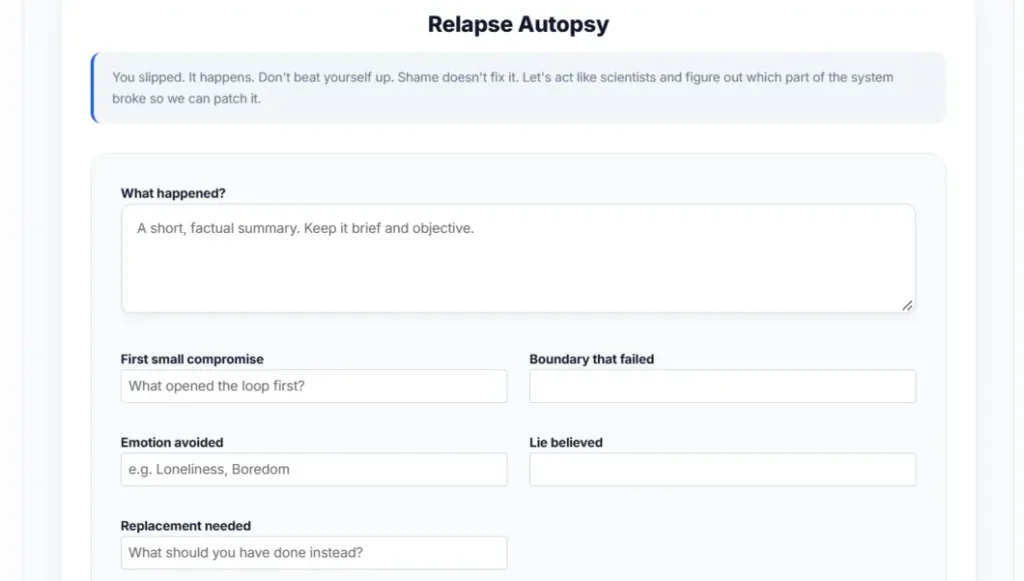
A non-judgmental review after a setback. You identify the first small compromise (the moment the boundary started to slip), the specific boundary that failed, and the next clean action you can take. The goal is to extract information rather than to punish yourself.
5. Weekly Rebuild Review:
At the end of seven days you look back and name your strongest trigger, your highest-risk moment of the week, and the next boundary you will test. This is where patterns become visible.
6. Export and import:
You can export everything as JSON or CSV and import it back later. Because guest data lives in the browser, exporting regularly is the way you keep a permanent record.
Who RebuildOS suits
You will get the most value from RebuildOS if you already know the urge is linked to specific situations, certain times of day, certain emotions, certain devices, and you want a structured way to make those links visible.
It works well for digital habits, late-night loops, and mood-related urges. It is less focused on clinical symptom tracking for bipolar disorder or depression (that is closer to eMoods).
Where RebuildOS falls short
- Browser storage. Guest data stays in your browser. If you clear your browser data or switch devices, the history can be lost unless you have exported it. Export regularly.
- Not therapy or crisis support. RebuildOS is not therapy, medical advice, diagnosis, or crisis support. If you feel unsafe or unable to control your behavior, contact a qualified professional or local emergency services.
- No automated clinician report. You can export the data and share the file yourself, but there is no one-click PDF report the way eMoods provides.
Price: RebuildOS is a free tool. No account required.
2. Bearable
Best for: people who want to see how mood, sleep, energy, and daily habits connect to urges or low periods.
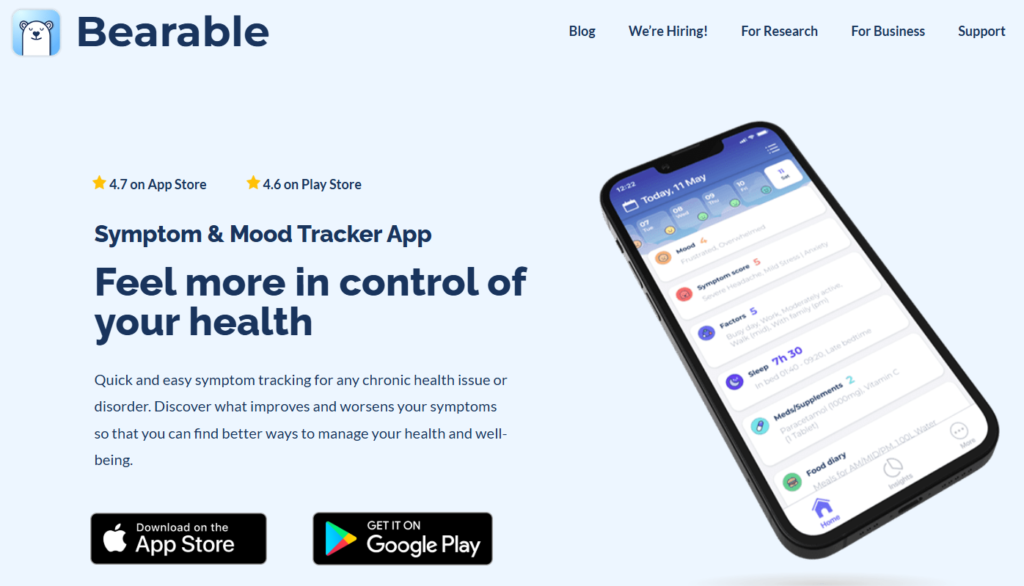
If you suspect your urges or mood dips are linked to sleep, stress, food, or other daily factors, Bearable is built to show those connections.
Bearable is a mood and habit tracker that lets you log mood, emotions, energy, sleep, and any custom metrics you care about. Its strongest feature is the correlation and pattern reports that help you spot which factors tend to move together.
Many people use Bearable when they already have a sense that “something” is driving their low days or high-urge days, but they cannot yet name the something.
By logging multiple variables side by side, you give the app enough data to surface the links. That can be more useful than a pure urge log if your main question is “what is making this worse?” rather than “what do I do in the moment the urge hits?”
What Bearable Does Well
Custom Metrics: Create metrics for specific urges or cravings alongside standard mood scales.
Correlation Reports: Deep analytics show how lifestyle factors, sleep, and mood move together.
Data Control: Data is encrypted with full export and deletion capabilities.
Where Bearable Falls Short
Subscription Paywall: Advanced reports and deeper correlation stats require a paid subscription.
Higher Friction: The sheer amount of tracking options can make daily logging feel heavy.
Bearable is a strong choice if your main goal is understanding the wider system around your mood or urges. It is less focused on an in-the-moment emergency response the way RebuildOS is.
3. Daylio
Best for: people who want the fastest possible daily mood log with almost no typing.
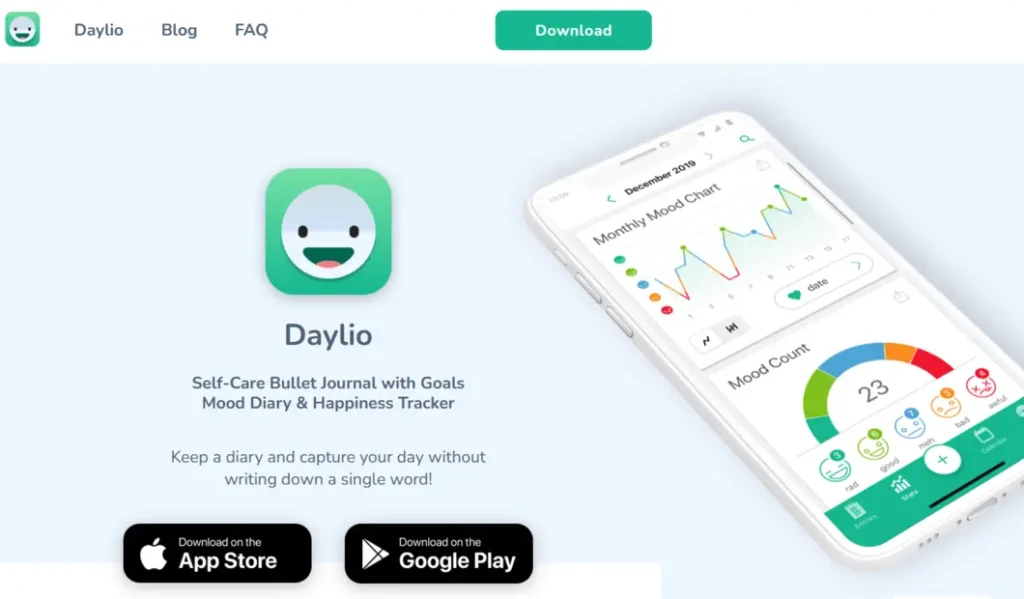
If every previous mood tracker felt like homework, Daylio is designed for the opposite experience. Daylio is a mood tracking app that relies on icons and preset activities so a full check-in can take only a few seconds.
You tap a mood face, tap a few activities, and you are done. Reminders and simple charts help the habit stick without requiring long written entries.
Daylio works especially well if your biggest barrier has been consistency. Many people abandon detailed trackers because the entry itself becomes another source of resistance.
By making the daily log almost frictionless, Daylio increases the chance that you will still have data at the end of the week.
What Daylio Does Well
Free Unlimited Tier: Core features remain unlocked indefinitely without losing past data.
Lightning Speed: Icon-based entry makes check-ins take only a few seconds.
Habit Formation: Built-in reminders and visual charts build long-term logging consistency.
Where Daylio Falls Short
Paywalled Extras: Advanced stats, custom templates, and PDF exports sit behind a subscription.
Lacks Urge Context: Captures general mood/activities rather than urge triggers, situations, and responses.
Choose Daylio if your priority is simply showing up every day. You can always add a more detailed urge log later once the basic habit is solid.
4. eMoods
Best for: people who need to track symptoms for bipolar disorder, depression, PTSD, or anxiety and share clear reports with a clinician.
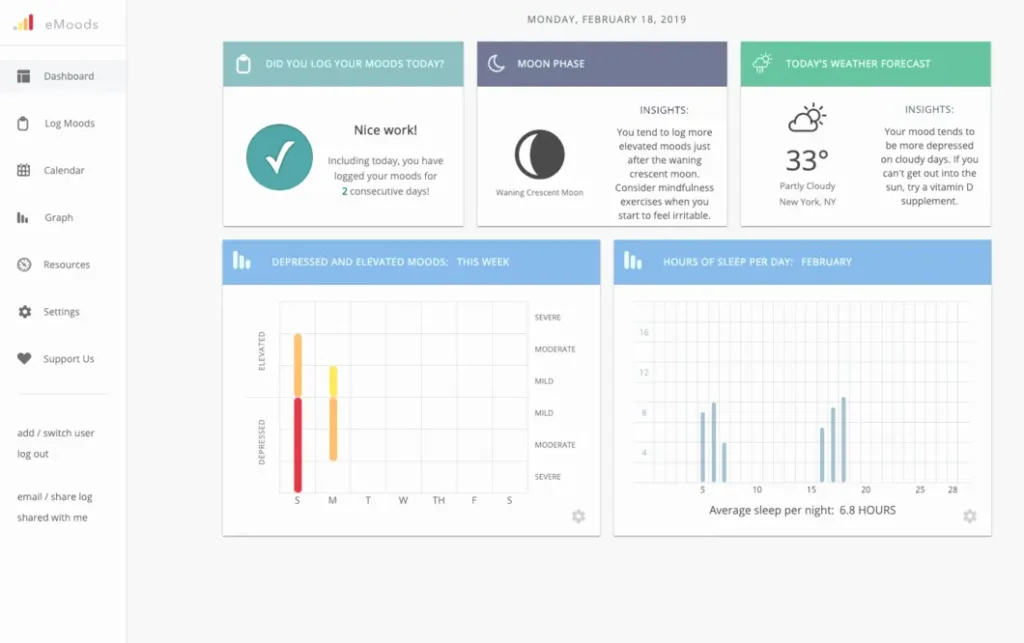
If your main goal is clinical communication rather than personal urge pattern analysis, eMoods is built for that job.
eMoods is a free mood tracking app designed around symptoms, highs, lows, sleep, medications, and other markers that matter when you are working with a therapist or psychiatrist. Its standout feature is the printable and PDF report you can take to an appointment.
A lot people who already have a diagnosis or who are in ongoing treatment find that generic mood apps do not capture the specific language their clinician needs.
eMoods is closer to a clinical symptom diary. You still get personal insight, but the design priority is making the data easy to share and easy for a professional to scan.
What eMoods Does Well
Free to Use: Full symptom tracking and doctor reporting are completely free to use.
Clinician-Ready Reports: Generates clean, printable PDF summaries specifically designed for therapy or doctor appointments.
Privacy Controls: Data is encrypted in transit with full user control over who sees disclosures.
Where eMoods Falls Short
Clinical-Only Focus: Built around mood disorder symptoms rather than real-time urge loops, triggers, and situational context.
Requires Professional Context: Designed specifically for clinical supervision rather than standalone self-guided urge reset.
If you need a report for your next appointment, eMoods is the strongest option on this list. If you mainly want to understand personal urge patterns, RebuildOS or Bearable will give you more of the context fields that matter for that job.
5. Moodistory
Best for: people who want a private mood diary that stays on the device and still offers solid pattern analysis.
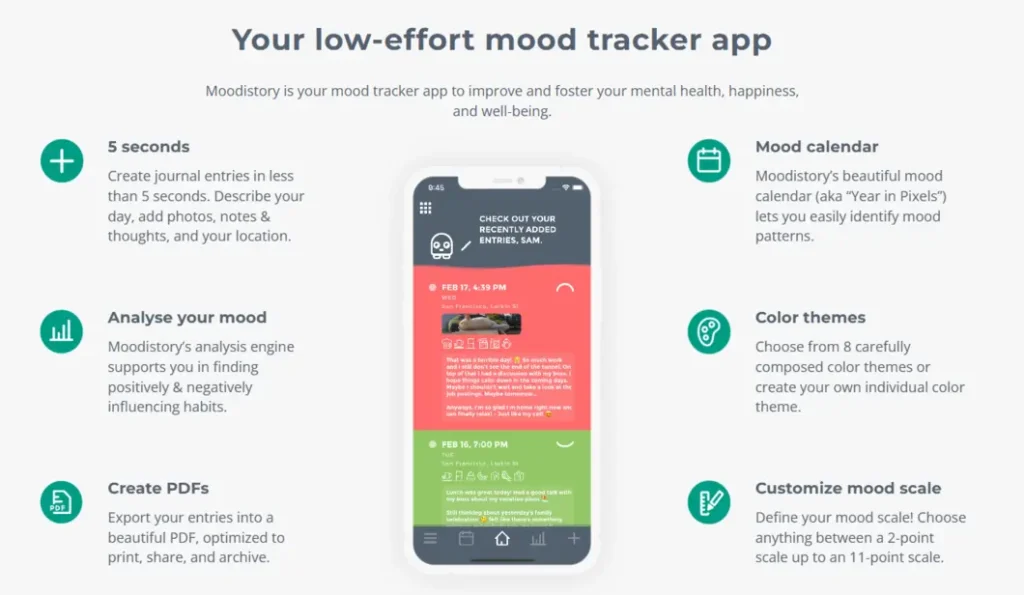
If privacy is your highest priority and you still want more than a basic face-scale log, Moodistory is worth a close look.
Moodistory is a mood diary app that stores all data only on your device. You can input your entry more quicker, and set the mood by swiping and choose activities from a list, so the daily friction stays low while the analysis features go deeper than pure icon apps.
Moodistory is faster than a full clinical symptom tracker and more analytical than a pure icon mood log. The analysis view shows which activities tend to pair with better or worse moods, which can surface patterns you would not notice from memory alone.
What Moodistory Does Well
On-Device Privacy: 100% local storage—data and PDF exports stay strictly on your phone.
Fast & Detailed: Quick swipe entries paired with 180+ preset activities and custom mood scale options (2 to 11 points).
Pattern Analysis: Highlights activity–mood relationships and supports local CSV export and import.
Where Moodistory Falls Short
No Urge Emergency Tool: Functions as a mood diary without structured trigger fields or emergency reset flows.
Platform & Pricing Limits: Apple Watch sync is iOS-only, and certain advanced features may require paid upgrades.
Choose Moodistory if you want the combination of on-device privacy and better-than-basic pattern analysis. If your main need is an urge-specific emergency response or clinician PDF reports, try RebuildOS or eMoods instead.
6. Wysa
Best for: people who prefer a conversational AI check-in and guided exercises over filling out forms.
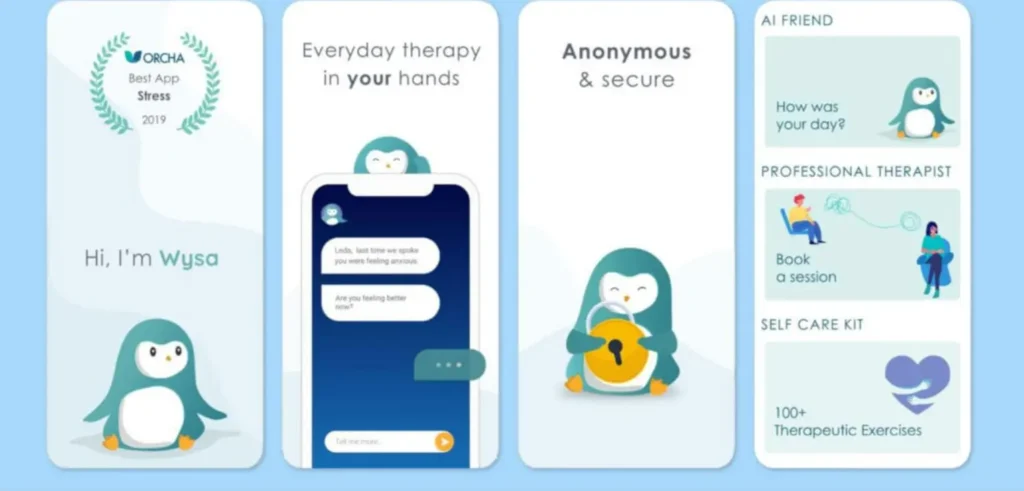
Wysa is an AI-based self-help app that includes mood check-ins and guided exercises for stress and low mood. The website positions Wysa mainly for healthcare organizations, insurers, and employers, while still offering an AI self-help option for individuals.
The conversational format can lower the barrier for people who dislike structured logs. Instead of deciding which number or activity to tap, you talk (or type) through a check-in and receive guided exercises in response.
That can feel more supportive in the moment, especially if the urge or low mood is accompanied by loneliness or the sense that no one is listening.
What Wysa Does Well
Conversational UI: AI-driven chat check-ins feel lower friction and less judgmental than rigid forms.
Guided Exercises: Instantly transitions from mood logging into short interactive practices for stress and low mood.
Where Wysa Falls Short
Organization Focus: Consumer tiers can be unclear as the company primarily targets employers and healthcare plans.
Limited Pattern Logging: Functions better as an instant support tool than a long-term quantitative urge database.
Wysa is a reasonable option if the conversational style is what will keep you engaged. It is less of a pure data logger for long-term pattern analysis and more of a support tool for the moment you need it.
7. How We Feel
Best for: people who want a free, nonprofit tool focused on naming emotions more precisely and building emotional vocabulary.
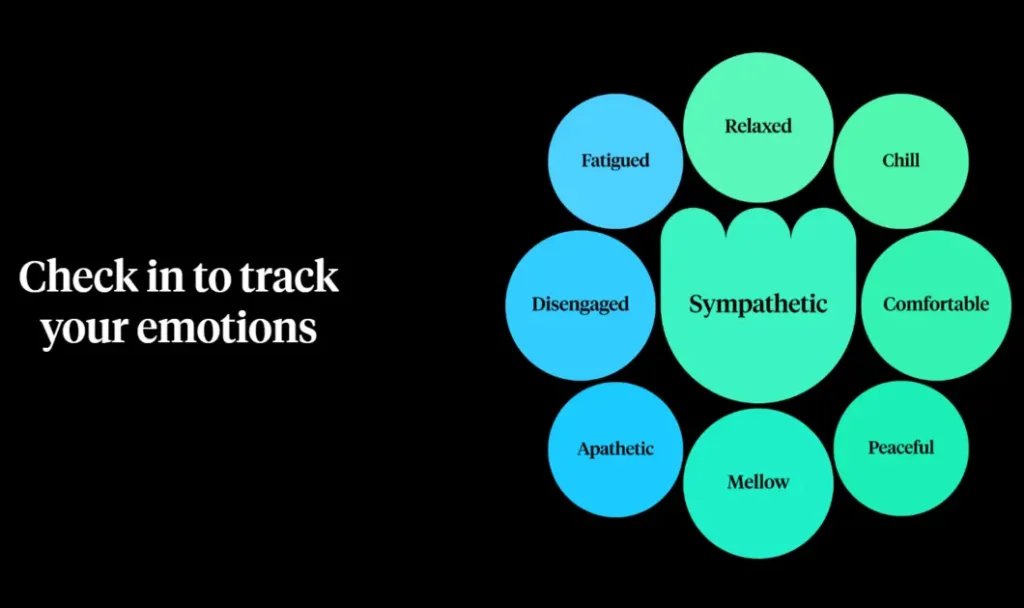
If your main gap is not “I don’t know when the urge hits” but “I don’t have good words for what I am feeling,” How We Feel is designed for that specific job.
How We Feel is a free journal from a nonprofit project. It uses a mood meter to help you name emotions with more precision, shows patterns over time, and offers simple strategies for regulating emotions in the moment.
Many urge and mood problems are made harder by fuzzy emotional language. When everything is just “bad” or “stressed,” it is harder to notice which specific states tend to precede an urge.
How We Feel tries to expand that vocabulary so the patterns become clearer. It is not an urge tracker with trigger and response fields; it is an emotion-naming and regulation tool.
What How We Feel Does Well
100% Free Nonprofit: Developed with Yale researchers with zero paywalls or subscription upsells.
Emotion Vocabulary: Visual Mood Meter helps users move beyond broad labels to identify precise emotional states.
Regulation Tools: Includes quick, evidence-based strategy exercises to manage difficult feelings in real time.
Where How We Feel Falls Short
Not an Urge Tracker: Lacks dedicated fields for recording situational triggers, devices, or behavior responses.
Requires Multi-Tool Pairing: Works best for emotion naming, requiring a separate tool for full urge loop tracking.
Use How We Feel if expanding emotional vocabulary is the missing piece. Pair it with a more structured urge log if you also need to track the situations and responses around the urge itself.
How to Choose the Best Urge & Mood Tracker
Seeking Simple & Free Setup
You want to bypass paywalls, subscription trials, and tedious account registration so you can start logging immediately in seconds.
Comparing System Architecture
You need specific features like deep correlation analytics, strict local device privacy, or printable symptom PDF exports for medical appointments.
Targeting Behavioral Loops
You want to pinpoint the exact context surrounding urges—time window, trigger emotion, place, device, and response—to break recurring patterns.
A Simple Daily Tracking Method That Works With Any Tool
The specific app you choose matters less than what you actually write down. Whichever urge tracker or mood tracker you pick, try to capture these seven pieces of information:
- Mood: a number from 1 to 10 and, if you can, one emotion word.
- Urge intensity: a number from 0 to 10, using the same scale every single time.
- Trigger: what was happening immediately before the urge. If you cannot tell, write “unknown” rather than inventing a story.
- Physical state: sleep quality, hunger, energy level, and any physical discomfort.
- Context: where you were and what you were doing (device in hand, late at night, after an argument, etc.).
- Your response: what you actually did, written in plain words without judgment.
- Afterward: a second urge intensity rating 10 to 30 minutes later if it is practical.
A simple daily routine that most people can sustain looks like this:
- Morning (about 1 minute): Log mood, sleep, energy, and your highest-risk window for today.
- When an urge appears (30–60 seconds): Log intensity, trigger, and response.
- Evening (about 2 minutes): Log overall mood, the strongest urge of the day, and one short observation.
At the end of each week, look for repeated patterns rather than drawing conclusions from one hard day. Ask yourself:
- When are my urges strongest?
- Which emotions usually show up with them?
- Which situations come just before an urge?
- Which responses seem to make the urge fade?
- Did sleep, stress, or my routine change in the same week?
3 Tracking Mistakes That Quietly Ruin the Data
1. Logging only the outcome.
Writing “I relapsed” tells you what happened. Writing the trigger, the time of day, the device, and the boundary that failed tells you why it happened. The second version is the one you can act on.
2. Judging yourself inside the log.
If the act of logging feels like another punishment, you will stop logging. Record what happened in plain, factual language. Save the evaluation for the weekly review, not for the moment of the urge.
3. Changing the rating scale.
If you rate urges 0–10 on Monday and 1–5 on Friday, the numbers cannot be compared. Pick one scale and keep it for the entire period you are trying to understand.
Why the Pattern Matters More Than the Streak
A streak counter tells you how long you lasted. It does not tell you what put the day at risk. Many people repeat the same loop for months because the loop has a structure: a high-risk time of day, a familiar emotion, a familiar device, and a familiar first small compromise.
Until that structure is visible, every new day feels like a fresh test of willpower instead of a known situation you can prepare for.
The tools that help most do one of two jobs. They make the context visible so you can see when risk is highest, or they give you a short, specific response for the exact moment the urge arrives.
RebuildOS does both through the Daily Rebuild Check-In, the Urge Log, and the Emergency Reset. Bearable does the first job well through its correlation charts. Daylio does the second job well by making the log so fast that you actually keep doing it, even though it captures less context.
Start with the window before the pattern, not the moment of failure. If you already know the risk is highest after 10 p.m. while scrolling, you can set one concrete boundary for that window, phone out of the bedroom, or a hard end time for scrolling, and test it for a week.
Common Questions About Urge & Mood Tracking
Is there a free urge tracker?
Which mood tracker keeps data private?
Can I share my tracking data with a therapist?
Can a tracker replace therapy or medical care?
How long before I see a pattern?
Should I use more than one tool?
What if I miss a day?
Your Next Step
You do not need a perfect system. You need one tool and seven days of real data.
- Pick one tool. If you want urges, triggers, and context in one free place with no account, start with RebuildOS.
- Log for seven days using the seven-item method above. Keep the entries short and factual.
- On day seven, review the week. Name your strongest trigger and your highest-risk window.
- Set one concrete boundary for that window. Test it for another week.
- Export your data so you have a copy outside the browser or the app.
The goal is not a perfect streak. The goal is a clearer picture of the conditions that make an urge more likely, and one boundary you can test against those conditions.
→ Start with RebuildOS (no account required)
Discover more from Rebuild With Intention
Subscribe to get the latest posts sent to your email.